Motor Index
About
In SDK, there is a function that can play haptic feedback on the specific haptic actuator. (PlayMotors in Unity, PlayDot in Unreal)
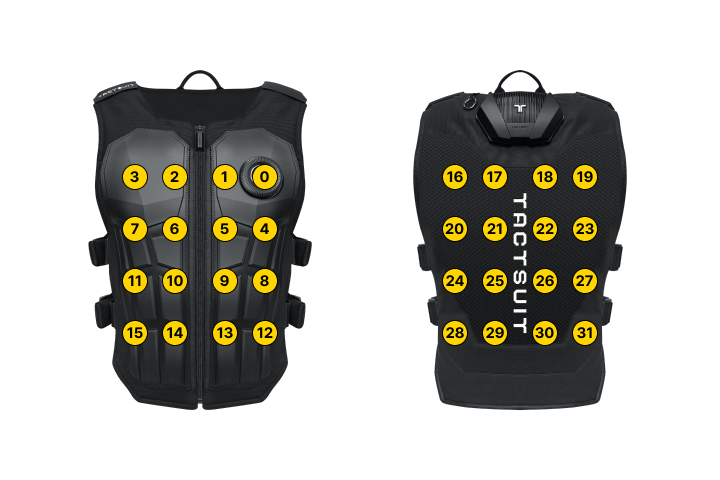
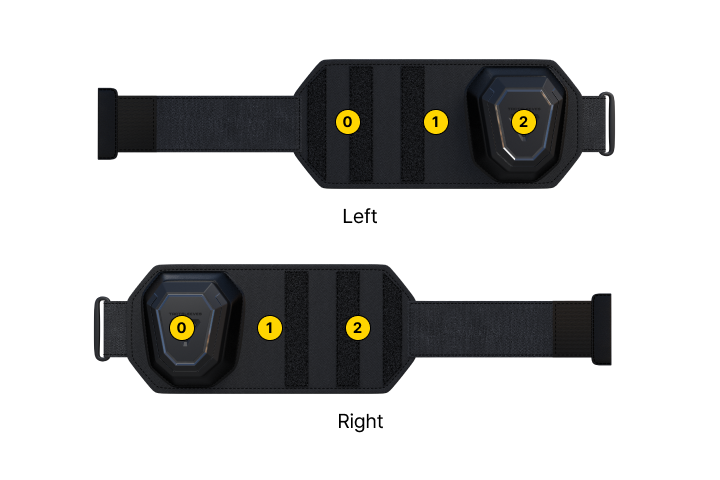
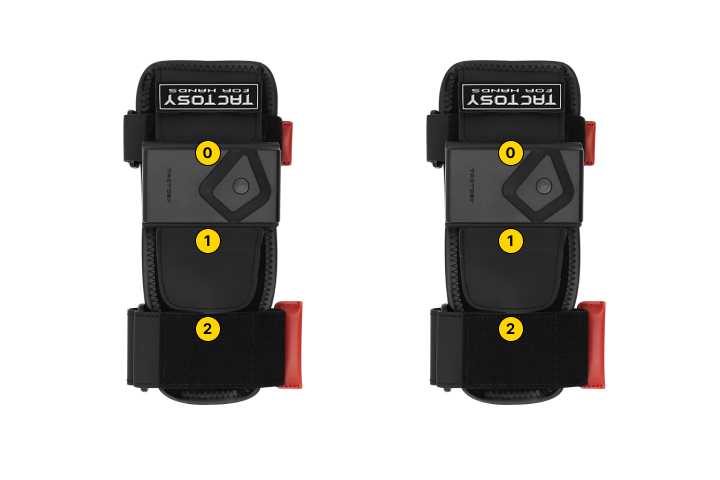
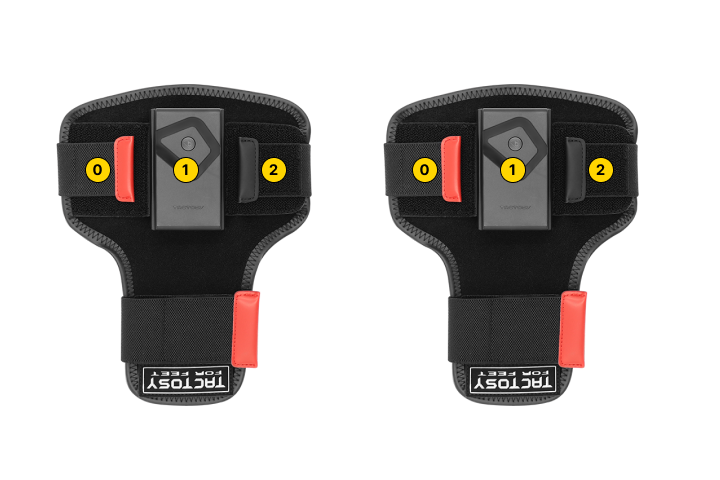
To use this function, you'll need to pass the an array of haptic intensities for all the motors on the haptic device you want to invoke. This page tells you which array index corresponds to which motor on the actual haptic device.
Devices
TactSuit Pro
TactSuit Air
The index grid is the same as TactSuit Pro. TactSuit Air only uses the first row of each side (front: 0–3, back: 16–19) and the last row of each side (front: 12–15, back: 28–31).
TactSleeve
TactGlove
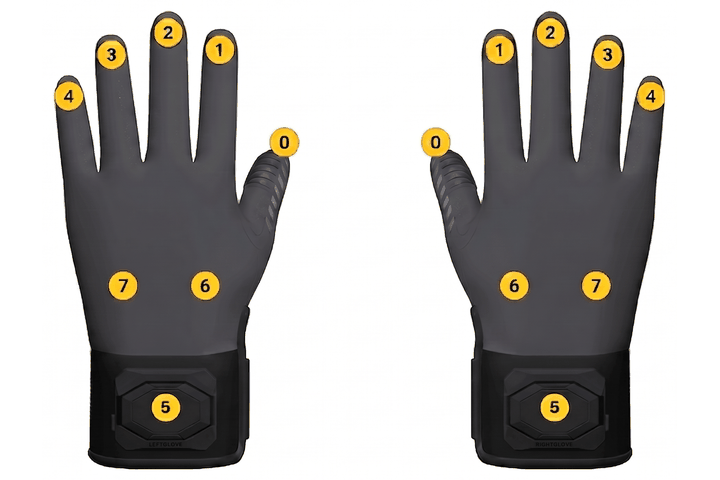
The image above shows TactGlove DK3. See TactGlove DK2 and DK3 Compatibility for how TactGlove DK2 differs.
Tactosy for Hands
Tactosy for Feet
TactGlove DK2 and DK3 Compatibility
TactGlove DK2 has six motors (0 - 5). TactGlove DK3 has two extra palm motors (6 and 7) for a total of eight.
You do not need to build separate feedback for the two gloves. When the motor layouts do not match, the feedback is adjusted automatically.
DK2 feedback on a DK3 glove
- Fingers (
0-4): Played as-is. - Wrist (
5): Played on the DK3 wrist motor (5). That motor is a voice-coil motor (VCM), so it always vibrates at a fixed 80 Hz.
DK3 feedback on a DK2 glove
-
Fingers (
0-4): Played as-is. -
Wrist and palm (
5,6,7): Merged into the single DK2 wrist motor (5).Active motors among 5,6,7Result 1 Played on the DK2 wrist motor as-is. Waveform stays waveform, dot stays dot. 2 or more Only the motor with the highest intensity is played. When two or more motors share the same highest intensity, the following priority applies.
- Dot mode takes priority over waveform mode.
- Among the motors that remain, the lowest index wins:
5(wrist), then6, then7.